EVBox Install is the go-to application for certified installers, simplifying the configuration of charging stations such as the EVBox Livo, Livo 2, Liviqo, and Mercedes-Benz Wallbox. This app is vital for efficient station activation. Installers of other EVBox stations (Elvi, BusinessLine, or Iqon) should use the EVBox Connect app. EVBox Install streamlines the setup, ensuring rapid deployment and operational readiness. Maintain efficiency and organization with EVBox Install for all your charging station installation needs.
Key Features of EVBox Install:
-
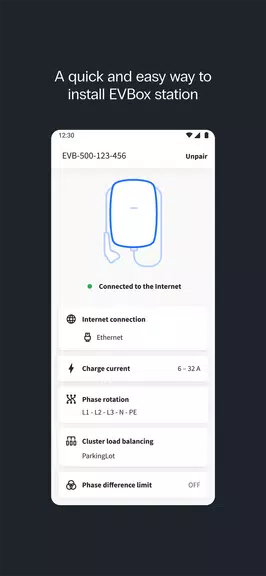
Complete Station Configuration: The app provides comprehensive setup and configuration tools, optimizing charging station functionality.
-
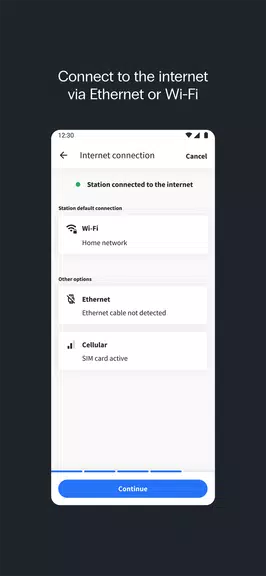
Versatile Network Connectivity: Easily connect stations to Ethernet, Wi-Fi, or cellular networks, ensuring smooth communication with service providers.
-
Precise Charging Current Control: Precisely adjust the maximum charging current for flexible energy management, adapting to station needs and local constraints.
-
Smart Current Balancing: Optimize energy distribution through configurable current balancing, ensuring stable and efficient power usage across multiple charging points.
-
Automated Firmware Updates: Keep stations updated with the latest features and security improvements via automatic firmware updates.
-
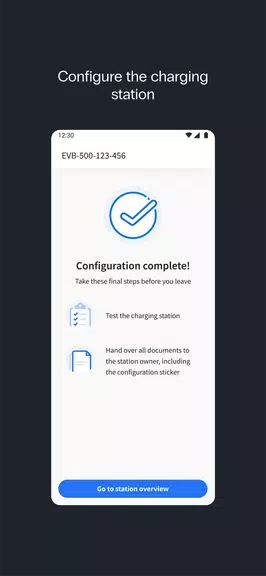
Integrated Installation Guidance: Clear, step-by-step instructions within the app guide installers through the setup, minimizing installation time and errors.
Best Practices for EVBox Install Users:
-
Prioritize Network Compatibility: Before starting, verify network compatibility (Ethernet, Wi-Fi, or cellular) with the station to avoid delays.
-
Tailor Charging Current to Capacity: Set the charging current based on available power to prevent overloads and maximize charging efficiency.
-
Utilize Current Balancing for Multiple Stations: Activate current balancing for multiple stations on a single network to ensure even power distribution.
-
Maintain Up-to-Date Firmware: Regularly update the firmware to leverage the latest features, security enhancements, and ensure optimal performance.
-
Follow the In-App Guide: Closely adhere to the app's installation instructions for accurate and efficient setup.
Conclusion:
EVBox Install is a crucial tool for professional installers, offering powerful configuration options and a streamlined setup experience. From flexible network connectivity and precise current adjustments to automatic firmware updates, the app provides everything needed for reliable installations. The integrated guides further simplify the process, ensuring accurate and efficient station setup every time. EVBox Install empowers installers to guarantee flawless charging station operation, making it an indispensable asset for expert installations.